

Sunday attendance by phone.
Donation receipts in one go.
Members, attendance, giving, IRD donation receipts, a personal page for every member and a church website — in Korean and English.
- Korean & English
- Bring your spreadsheet
- IRD donation receipts
- No login for members
Screens show sample data from a fictional church.
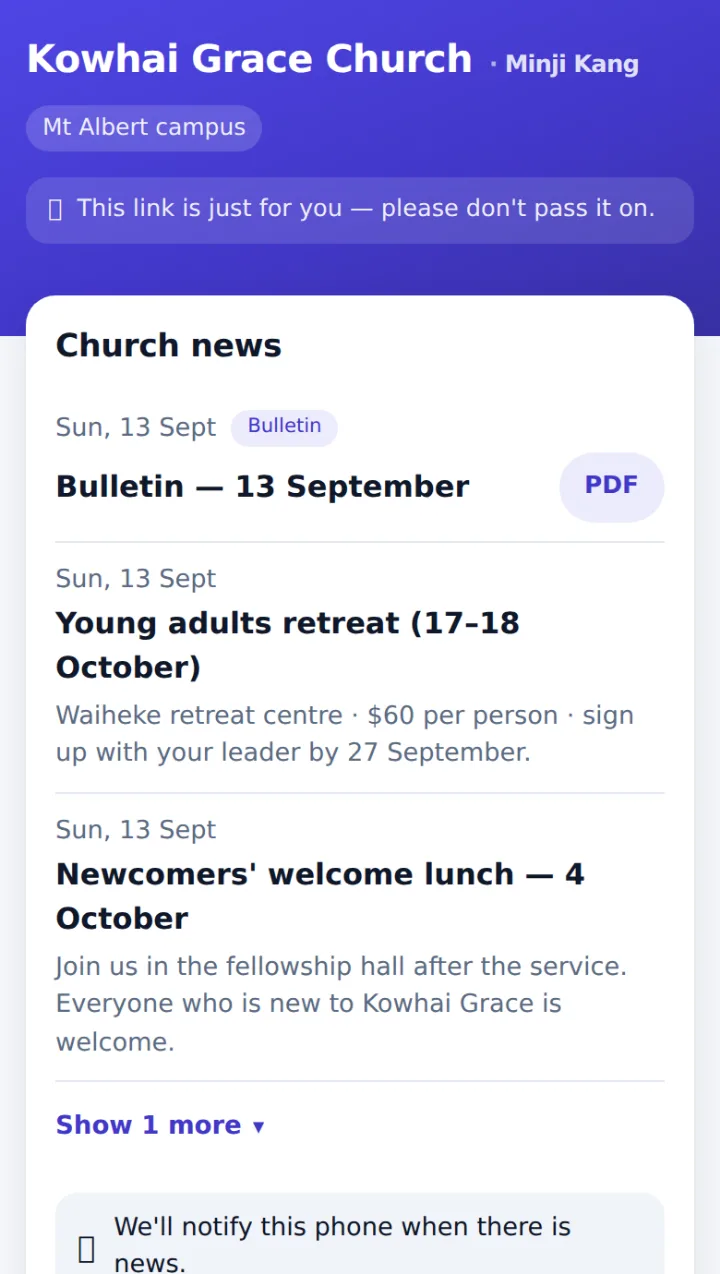
A church year, start to finish
Bring your members
Upload the spreadsheet you already use and your member list comes in at once — with cell groups and households if your file has them.
Tick attendance on Sunday
Teachers and cell leaders mark their own group on their phone, even where signal is weak.
Record giving
Cash, bank transfer and card by category. Match transfers against your bank CSV.
Receipts at year end
Issue receipts for the tax year (April–March) in one go. Members download the PDF from their page.
Care for who’s missing
The long-absent list comes first. Visit notes stay with the people allowed to see them.
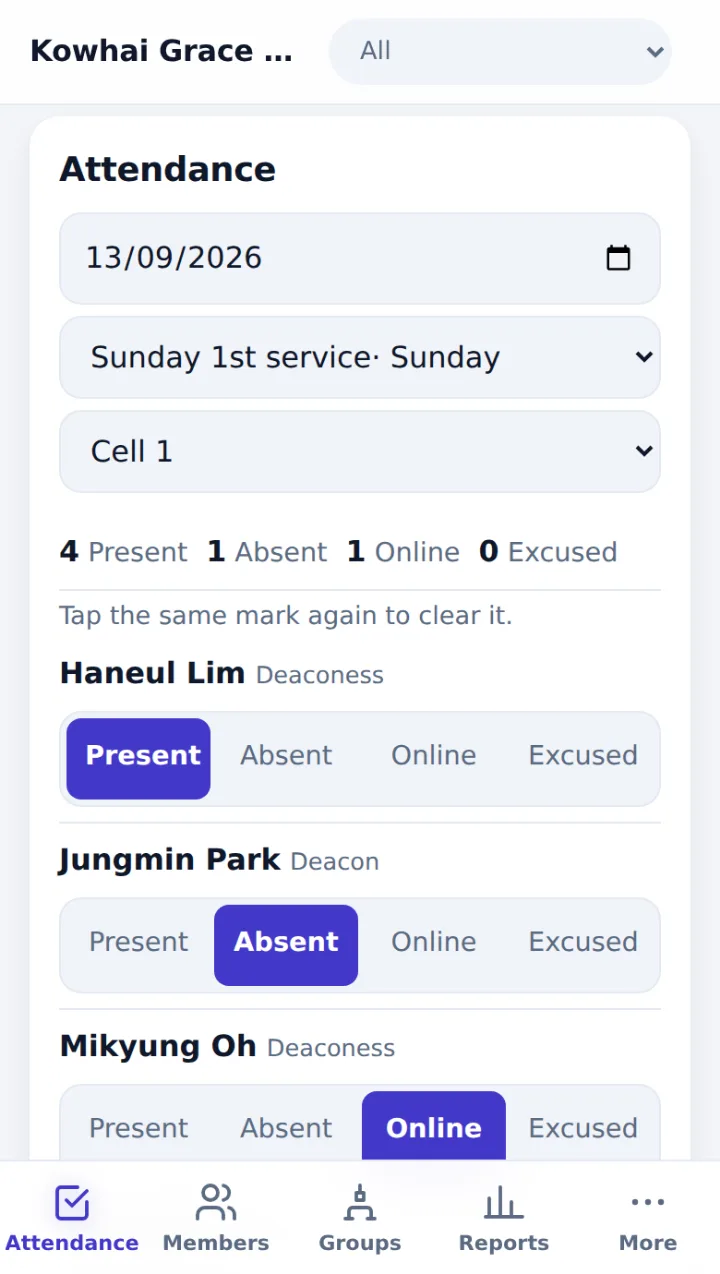
One phone per class on Sunday morning.
Pick the service and the group, then tap next to each name: Present, Absent, Online or Excused.
- Saved the moment you tap — mark everyone else present in one go
- No signal? Marks wait on the phone and upload by themselves
- Teacher accounts can see only the people in their groups and campus
- Attendance by service and by group, with CSV export
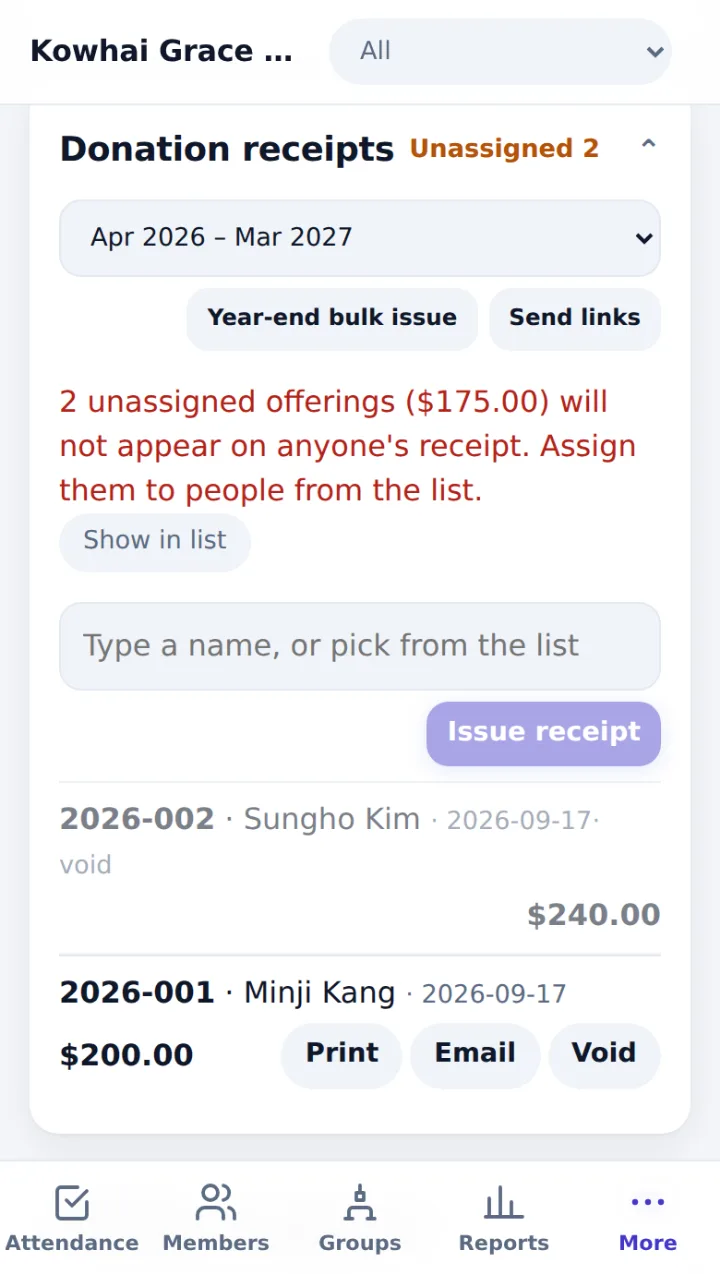
IRD donation receipts, done in one go.
Record giving by category through the year and receipts come out numbered for the tax year.
- Receipt PDFs with your Charities registration and IRD numbers, plus a signature or stamp
- Year-end bulk issue · receipts are never deleted, only voided
- Match transfers against your bank CSV — the bank file never leaves your computer
- Xero-ready CSV (daily totals by category, no names)
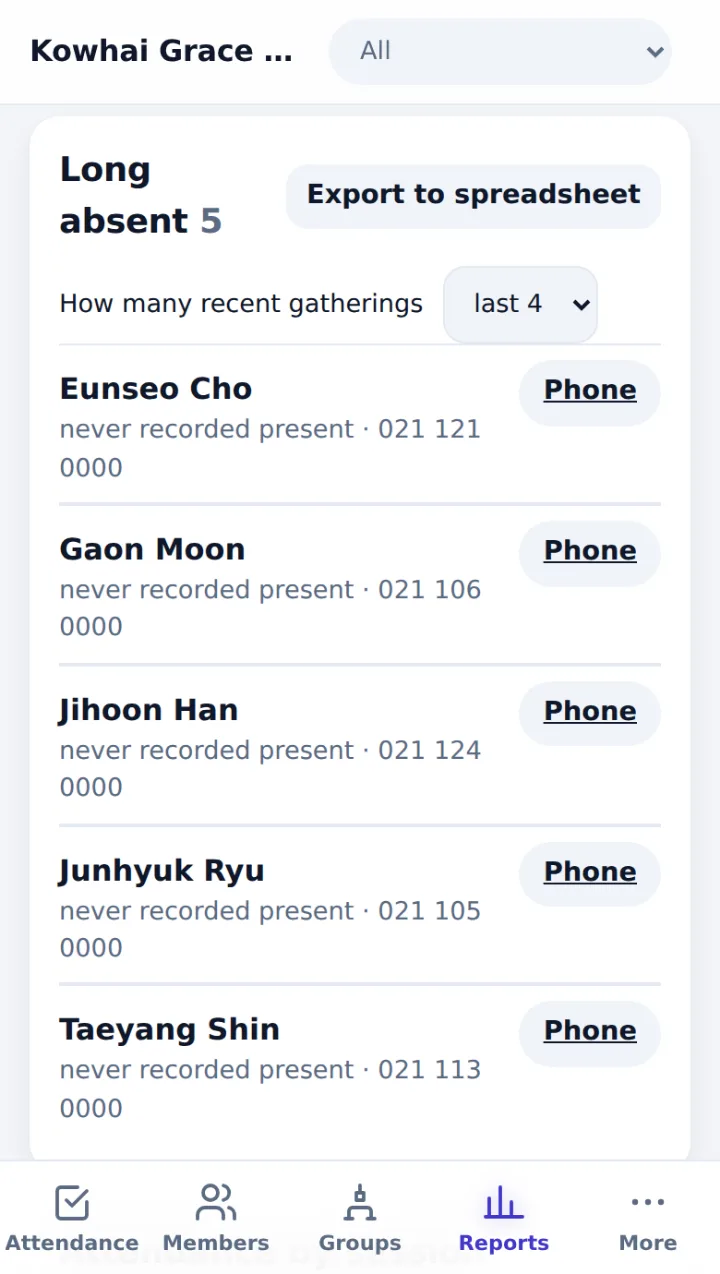
See who’s missing first.
Reports open with the people who haven’t been lately, with a call button next to each.
- Missed the last few gatherings — the church sets how many
- Attendance trend by service and rate by group
- Filter by campus · export to CSV
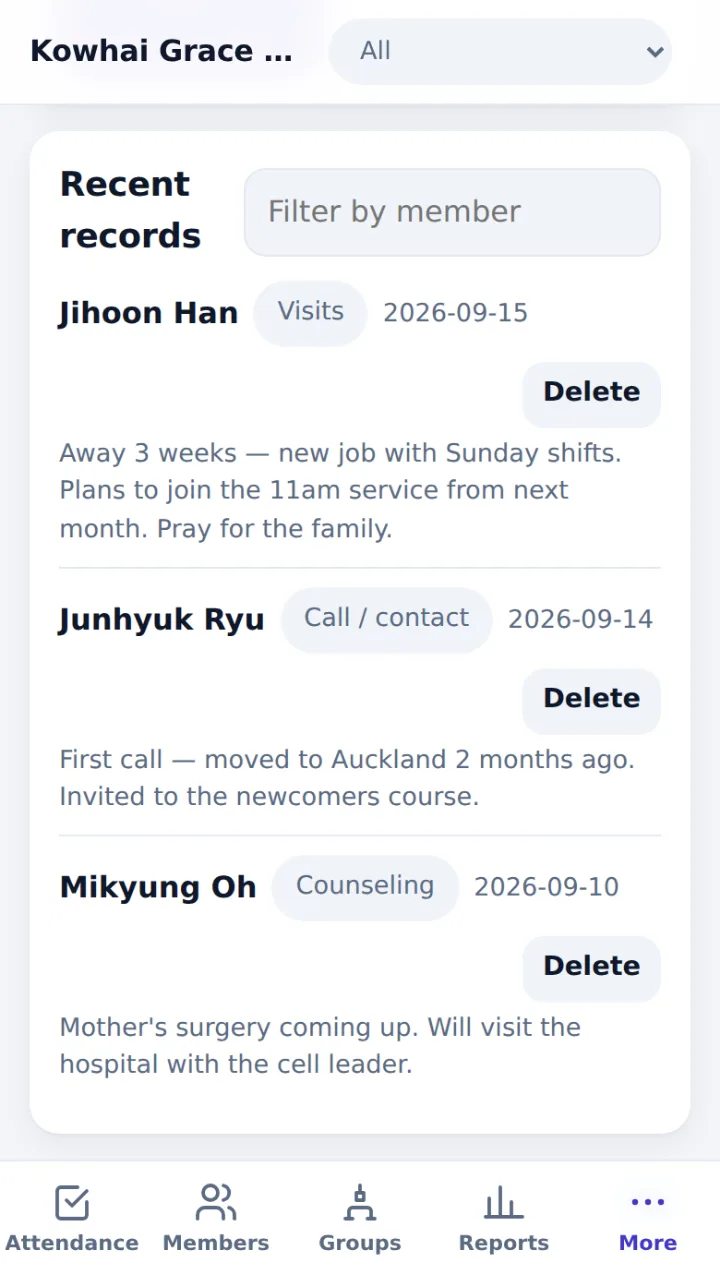
Visit notes only for those who should see them.
Record visits, calls and counselling by date. By default only the senior pastor sees them; anyone given access sees only their own area.
- Visit notes never reach the member page, the website or exports
- Discipleship courses — cohorts, enrolments and completions
- Course history shows on each member’s record
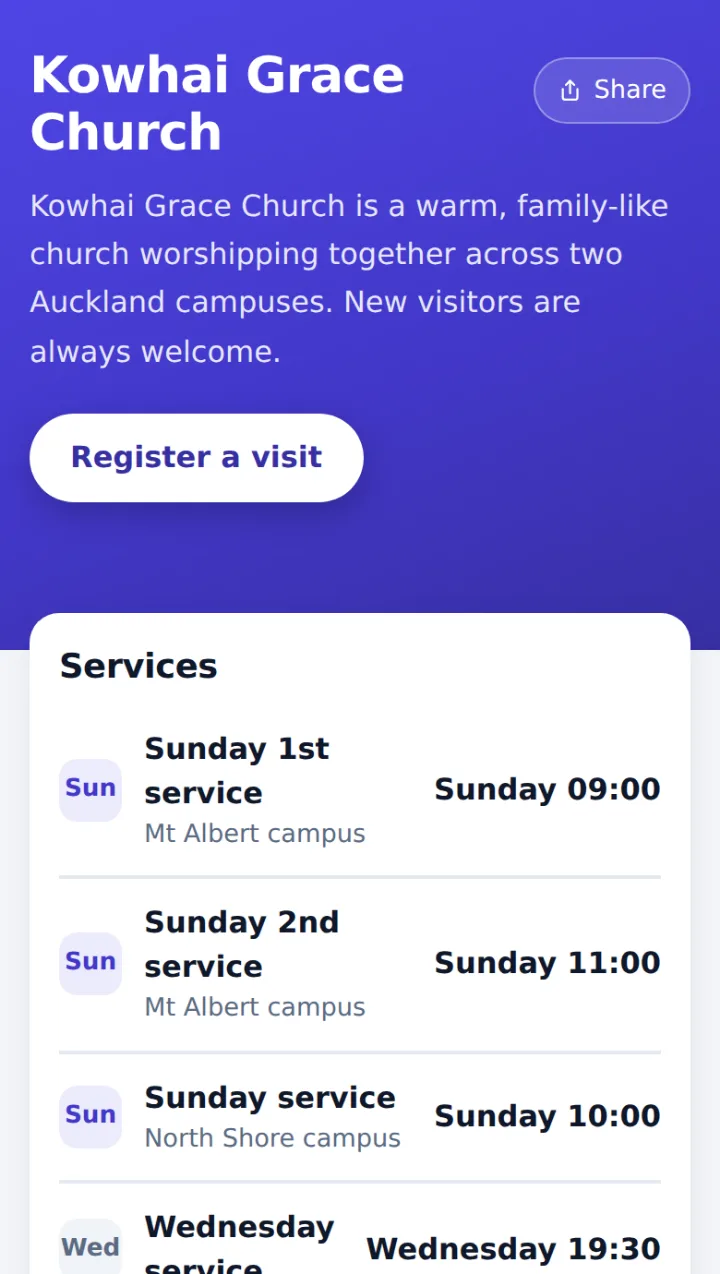
One church address that welcomes newcomers.
yourchurch.tenvio.net — your church’s name, introduction and service times on the first screen. No website yet? Switch it on in Settings and it’s live.
- Your church’s logo, colour and background photo
- Separate Korean and English introductions — visitors switch language, nothing is machine-translated
- Adjustable text size and dark mode — easy for older eyes
- Already have a website? A Website button links to it
- Members already on the roll can use Get my page to have a lost link emailed again
- None of your member roll is ever sent to this page
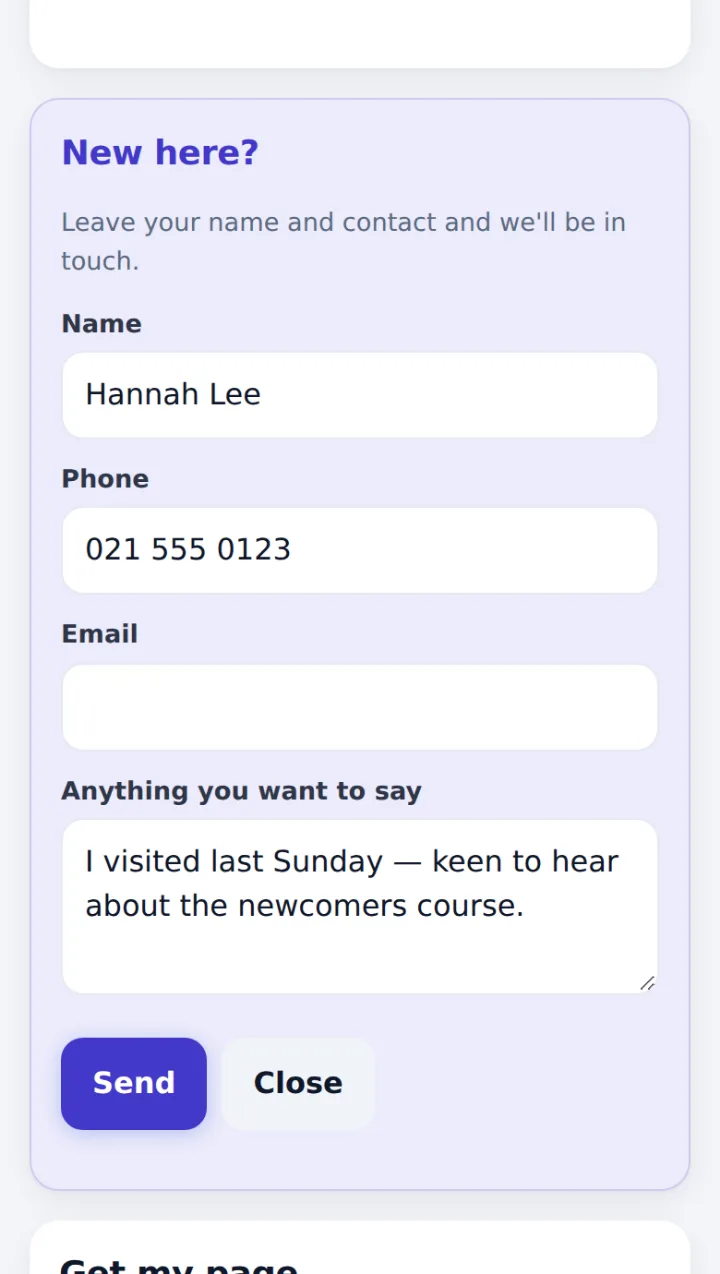
Register a visit
Visitors tap Register a visit and leave their name with a phone number or email. They land on your roll as New, and if the church email is connected, the person in charge gets an email. Spam bots are filtered out.
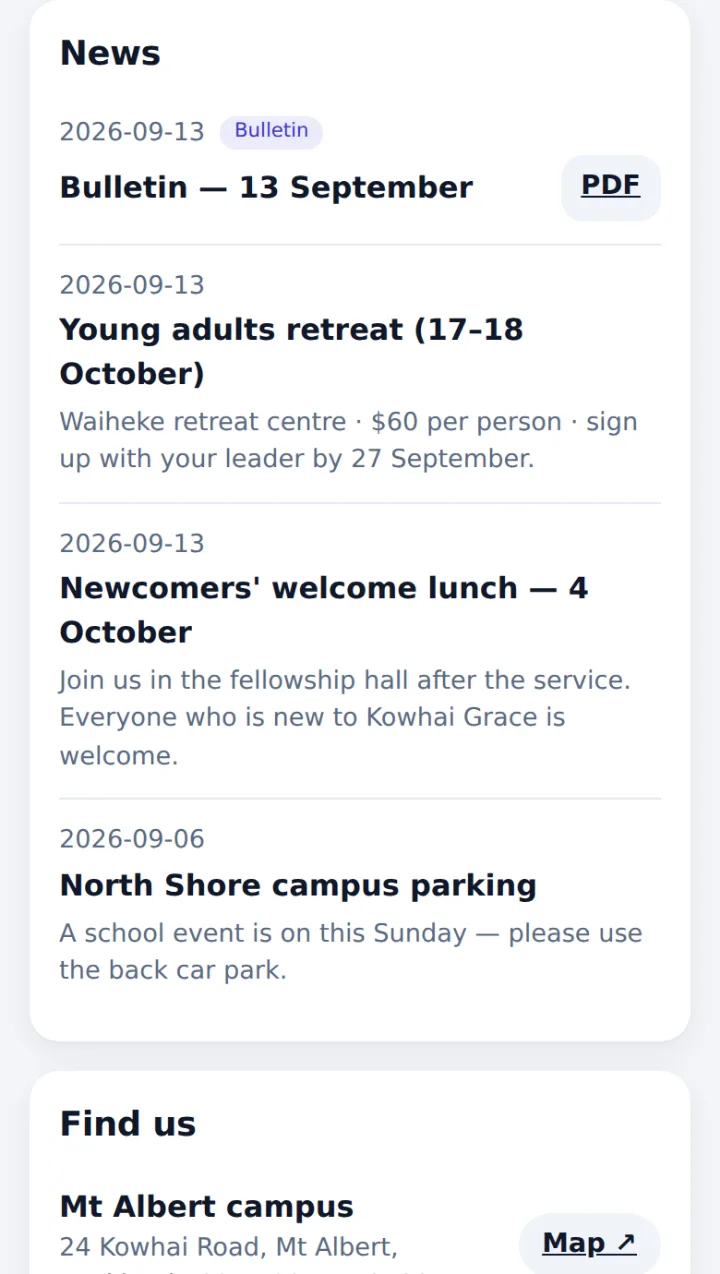
News & bulletin PDFs
Notices and bulletins you publish show here, up to the latest 10. Tap PDF to open or download the bulletin. Members also get news notifications on their own page.
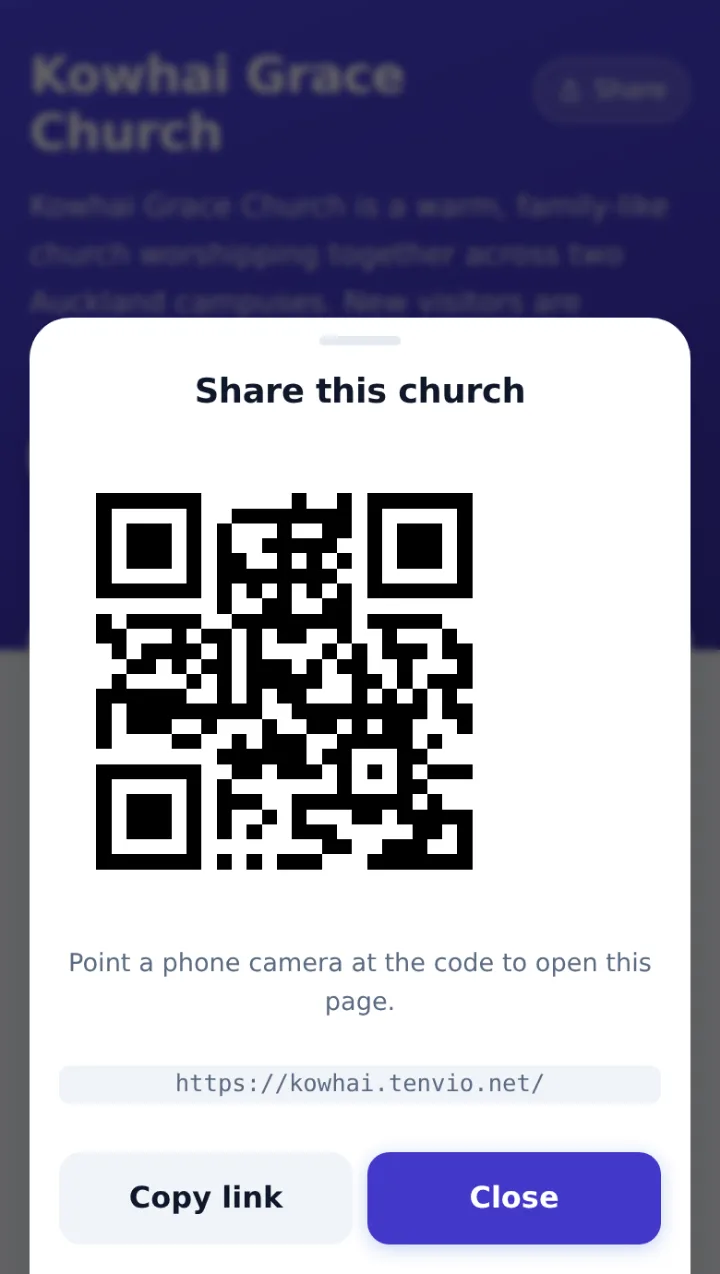
Share with a QR code
Tap Share and a QR code appears. Someone next to you points their phone camera at it; for friends further away, copy the link or send it from the phone’s share menu.
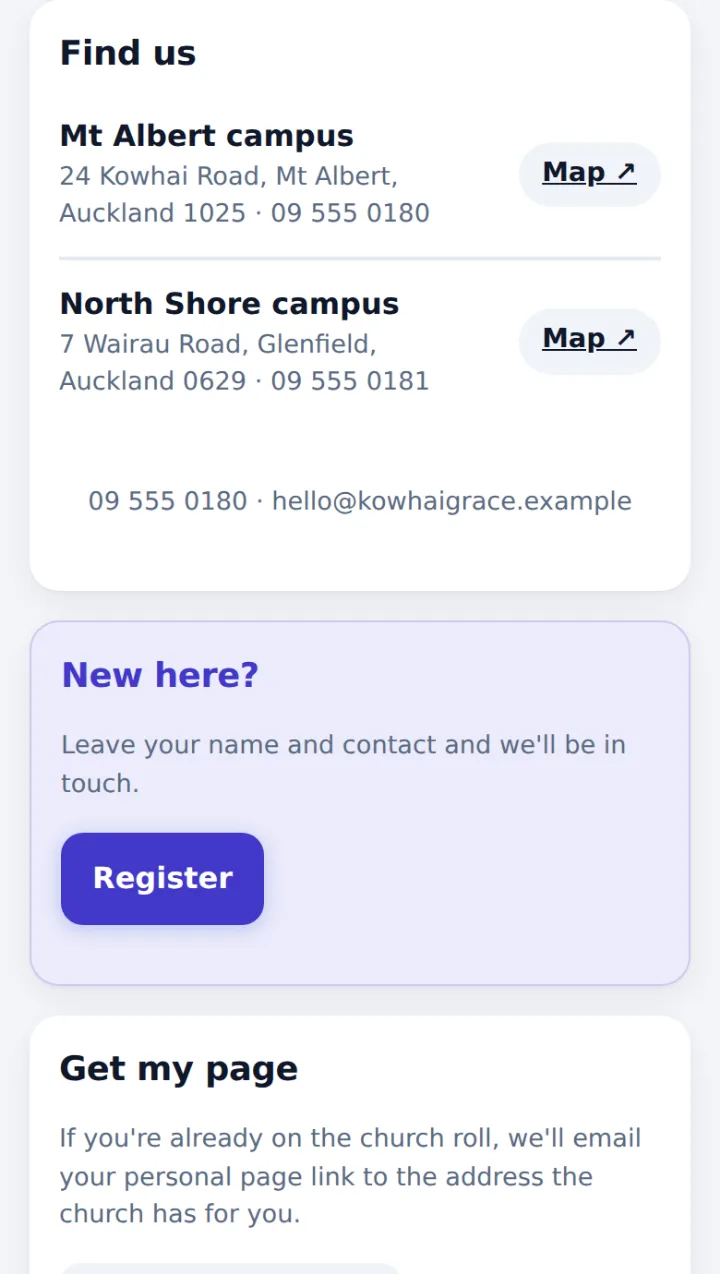
Find us & service times
Each campus shows its address, phone and a Map button (Google Maps). Services are listed by day, time and campus.
Every member gets their own church page.
No app to install, no sign-up and no password. Members open the personal link the church sends them and see church news, their giving, donation receipts and attendance on one page.
- Only their own records — not even a family member’s giving is shown
- Add it to the home screen and it opens like an app
- Members choose Korean or English themselves — easy for the second generation
- Adjustable text size and dark mode — easy for older eyes
- Contact the church — Call and Email buttons right there
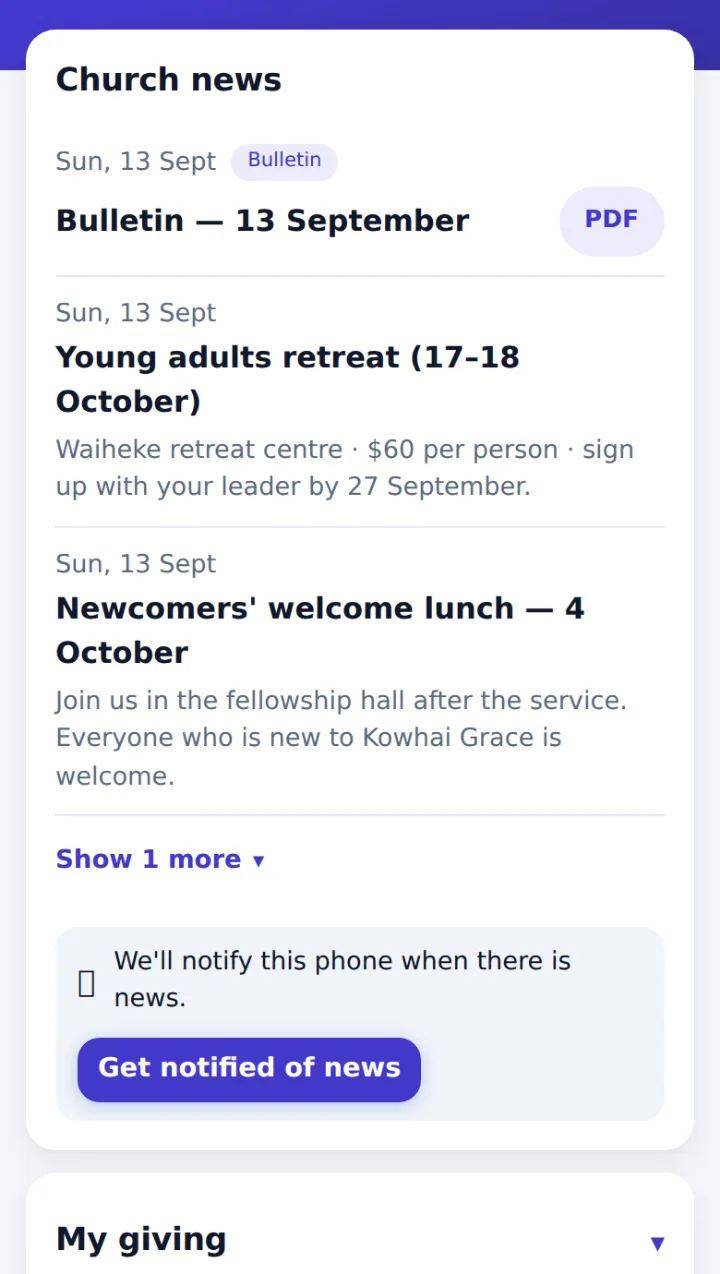
News, bulletins & notifications
Notices and bulletins the church publishes come first, and bulletins open with the PDF button. Turn on news notifications and the phone is notified when the church sends one (on iPhone, add the page to the home screen first).
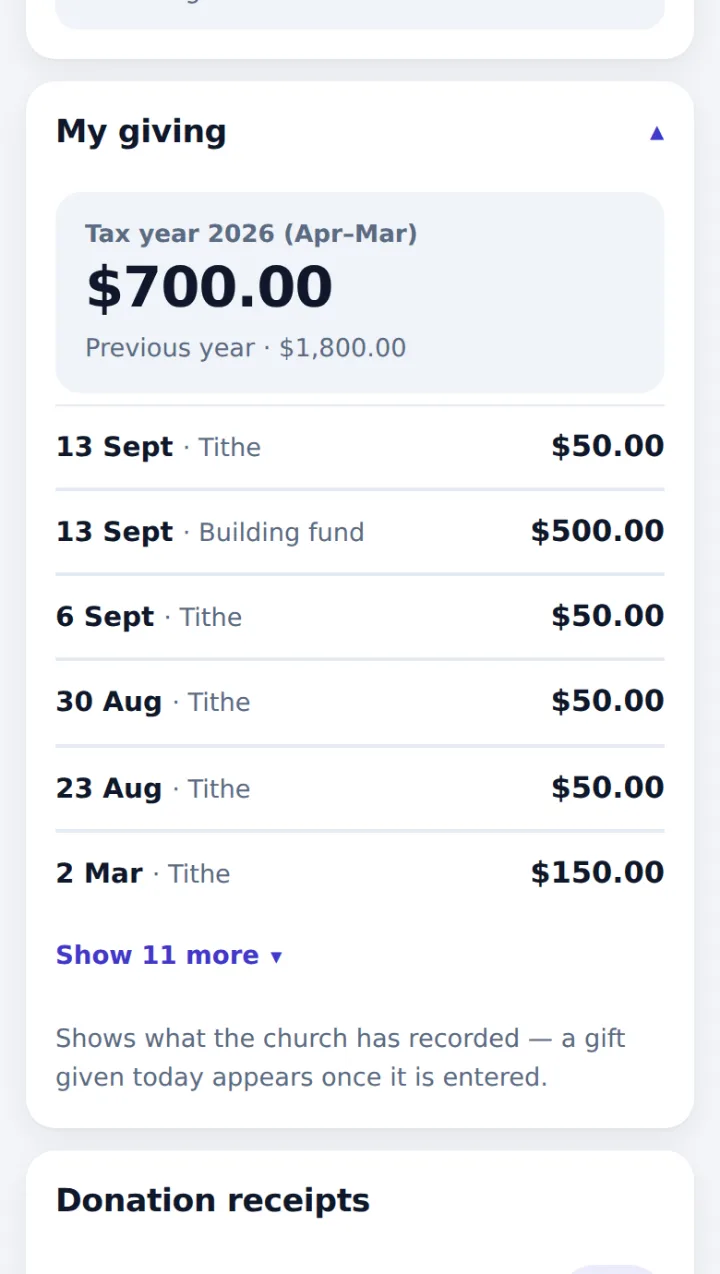
My giving
Totals for this tax year (April–March) and last year, plus recent gifts by date and category. It stays folded until opened, so amounts aren’t on show to anyone nearby.
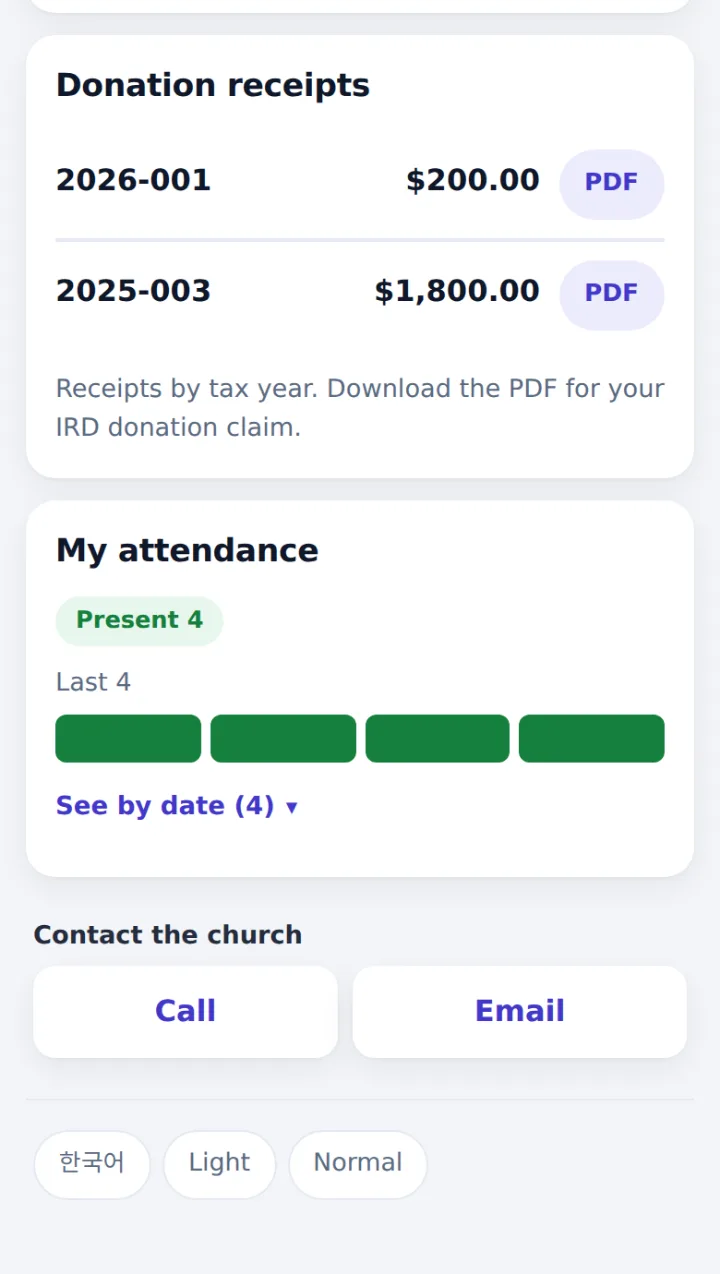
Donation receipt PDFs
Download the donation receipts the church has issued, by year, for an IRD tax credit claim in myIR — no need to ask the office again.
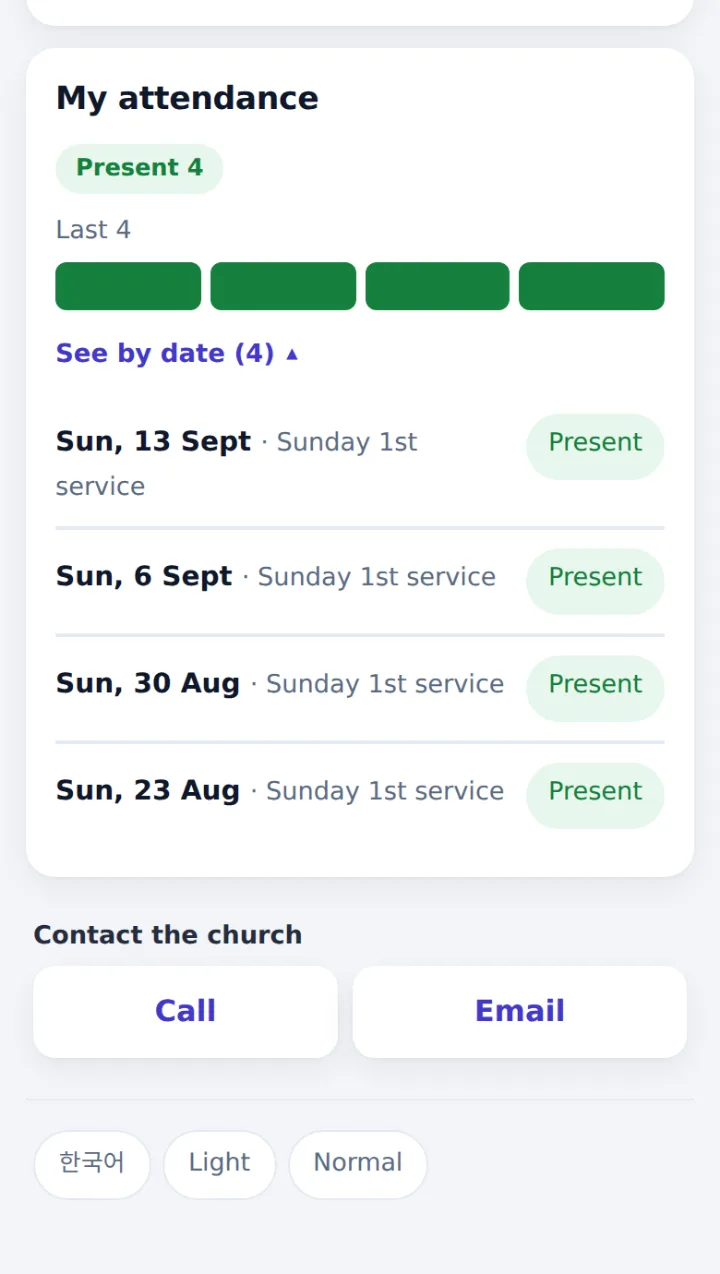
My attendance
The last 12 gatherings as a colour strip at a glance, and See by date for Present, Absent, Online or Excused at each service.
How members get their link
- Leaders tap Send portal links on the member list — everyone with an email gets theirs at once
- No email? Copy the link and send it by message
- Lost the link? Members use Get my page on the church website and it’s emailed to the address the church has
- Sent to the wrong person? Reissue — the old link stops working straight away
Finance sees giving. Pastors see care.
Each role sees different things — enforced by the database, not just hidden on screen.
| Members | Attendance | Giving | Visit notes | Settings & accounts | |
|---|---|---|---|---|---|
| Senior pastor | Edit | ✓ | If granted | ✓ | ✓ |
| Church admin | Edit | ✓ | — | — | ✓ |
| Finance | View | — | ✓ | — | — |
| Teacher / leader | View | ✓ | — | — | — |
The senior pastor can give giving or visit access to a person, with an expiry date if needed, and every change is logged. Accounts that don’t cover the whole church see only the members of their campuses and groups.
How we look after your church’s records
Where data lives
On servers in Sydney, Australia.
Support only with your permission
Tenvio support can look in for 24 or 72 hours, only when your church allows it (read-only unless you choose otherwise). You can withdraw it any time, and every visit is shown and logged. Urgent faults, legal requests and security incidents are the exception, with a written reason.
Member links
Every member has a different link. Reissue one and the old link stops working straight away.
Pricing that fits a church budget
The 30-day trial includes everything in Standard. Try it, then decide.
Start a 30-day trialTrial
- Everything in Standard
- 30 days from the day your account opens
- Up to 2 campuses
Basic
- Suggested for ~100 members
- Members, households, groups & attendance
- Giving & IRD donation receipts
- Member page, church website & bulletins
- 1 campus
Standard
- Suggested for ~300 members
- Everything in Basic
- Pastoral visit records
- Discipleship courses
- 1 campus
Over 300 members
- Priced to your size, campuses and how much there is to import
- Each plan includes 1 campus. More campuses are $15/month each.
- Pay yearly for 10 months — 2 months free (Basic $490 · Standard $990 a year).
Getting set up
You can set up yourself — the first Help card walks you through it. If you’d like a hand, we do the standard onboarding with you.
- Import your spreadsheet · set up departments, cell groups and services
- Invite leaders and plan their access (campus and groups)
- Giving categories · receipt details (IRD, Charities, signature) · church email
- Open the church website · send member links to everyone
- Tick one real Sunday service together · two weeks of close support after
Outside Auckland, travel is added at cost. Importing more than 500 members is charged at $120/hour.
Rather we set it up for you?
Not included in the setup feeEvery feature is already in your plan. These are one-off fees for us to configure them for you — do it yourself and it’s free.
- Bulletin template set-up$180
- Giving receipt review$180
Once go-live support ends, settings changes and extra training are $120/hour.
Need a feature we don’t have? Tell us and we’ll quote for building it. If other businesses could use it too, we build it into Tenvio and keep maintaining it, so you pay only part of the quote — and you get it first.
All prices in NZD, excluding GST. GST at 15% is added on invoice, and we issue a tax invoice showing our GST number. Member numbers are a guide.
Questions
Do members need an app?
No. Their page opens from a personal link in any phone browser — no login or password. They can add it to the home screen if they like.
Do you move our members across during the trial?
No. The trial is for trying it yourself, so we just open the church’s account. Onboarding — importing members, setting up departments and so on — happens once you choose a plan. You can also set it up yourself: the first card in Help walks you through it.
Can we bring our existing spreadsheet?
Yes. Upload your spreadsheet and the columns are matched from the headings (name, date of birth, cell group …) — you can change any match. Dates like 28/09/1965 or 65.9.28 are read too. Anything that can’t be read isn’t thrown away: it goes into the notes and you’re told which row. For people already on the roll, choose to skip them or just fill in what’s missing.
Will the senior pastor see individual giving?
Not by default. Finance sees giving. The senior pastor can give access to a person, with an expiry date if needed.
Can members claim tax credits with the receipts?
Receipts show your Charities registration number, IRD number, the tax year and each gift, so members can claim a donation tax credit in myIR. Printing and sending unlock once both numbers are entered.
Can members give online by card?
It’s optional. When it’s on, members give by card from their page; the money goes straight to the church’s own Stripe account and is recorded automatically. We’ll explain card fees when you set it up.
We have more than one campus.
Each plan includes 1 campus, and more are $15/month each. Attendance, giving and reports can be viewed by campus.
Try it with one class next Sunday.
Send us a request and we’ll be in touch within one business day to open your church’s account. Use it for 30 days — once you decide, we move your members across and get ready for your first Sunday together.
Request received
We’ll contact you within one business day. Thank you.
Prefer to talk? Contact us directly